
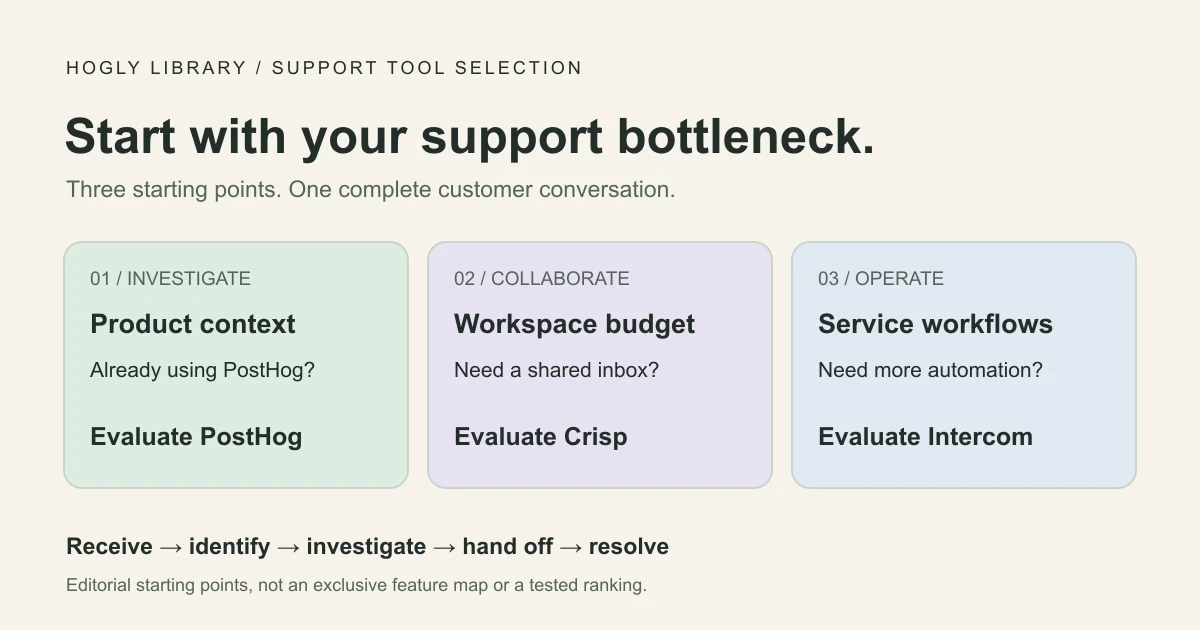
Start with PostHog Support if your team already investigates product issues in PostHog. Shortlist Crisp if a shared inbox with a workspace subscription fits your budget. Evaluate Intercom if help-center, automation, and service operations requirements justify seat and usage charges. The right choice is the one that lets your team finish a customer's problem with the least friction—not the longest feature list.
The short version
- Match your required channels and handoff workflow before comparing the starting price.
- Separate human support costs from AI usage; seats, credits, and outcomes measure different things.
- Run one complete customer conversation through your shortlist before moving your support address.
What this comparison can tell you
Documentation checked September 20, 2026. This is a comparison of published capabilities and pricing, with an original evaluation worksheet. We have not run a three-platform account trial, measured response speed, or compared real invoices. The example below is fictional and the cost calculations are illustrative.
We publish Hogly, an independent client for PostHog, so we have a product interest in the PostHog ecosystem. A team with different support needs may be better served by Crisp or Intercom. None of these recommendations assumes that you should replace a helpdesk that already works.
For a two-person team, start by writing down the last ten questions that needed a human answer. Separate product failures, billing questions, onboarding confusion, and routine requests. Then mark which ones required an engineer, which needed a knowledge-base answer, and which arrived outside your website. That small inventory is more useful than comparing every feature a vendor sells.
Compare the support workflow you actually need
| Decision | PostHog Support | Crisp | Intercom |
|---|---|---|---|
| Conversation entry | Widget, email, Slack, GitHub. | Web chat on Free; shared email on Mini; more channels on Essentials. | Messenger and support email; additional channels can carry usage charges. |
| Investigation context | Widget tickets can show the linked person's events, errors, and enabled replay. | Check which customer attributes and external records your integration exposes. | Check which customer attributes and external records your integration exposes. |
| Team workflow | Assignments, private notes, statuses, and rules documented in the Support inbox. | Mini adds private notes; Essentials adds routing and a knowledge base. | Essential includes an inbox and public help center; Advanced adds workflows and multiple team inboxes. |
| AI budgeting | Reply agent still marked coming soon; Self-driving is separate. | Hugo consumes credits based on token usage. | Fin is billed per outcome; agent-assistance add-ons are separate. |
Sources: PostHog channels, Support inbox, Crisp plan features, and Intercom plans. An unverified integration is a trial question, not evidence that a vendor cannot support a workflow.
PostHog's useful starting point is proximity to product evidence. That evidence still depends on correct identity, instrumentation, recording settings, and retention. A conversation does not reconstruct an unrecorded session or prove a payment settled.
Keep the customer-facing integration separate from the operator's inbox. A working web widget does not establish that the same experience exists inside your SwiftUI app. If native in-app support is essential, validate your exact SDK, operating system, authentication, and conversation recovery path before choosing a provider.
Use the same ticket: “I paid, but Pro is still locked”
Imagine a fictional customer, Alex, has paid on the web but still sees an upgrade screen. Use a test account and a sandbox payment to evaluate the following path. These are trial instructions, not a report of actions we performed in vendor accounts.
- Receive the report. Send the same message through your required channel. Check that Alex can find your answer after closing and reopening the app or browser.
- Identify the account. Find a stable account ID and the relevant transaction in your billing system. An email address or a replay of a success screen is insufficient evidence of entitlement.
- Explain the failure. Look for the gap between payment completion and entitlement refresh. Record which evidence was available directly and which required opening another tool.
- Hand off without losing context. Ask the second teammate to take over. They should see what was checked, what remains uncertain, and who will update Alex.
- Confirm the outcome. After the fix, verify access with the test customer, send a clear reply, and close the conversation. Reopen it with a follow-up to test continuity.
Where to start in each tool
PostHog: start with the widget ticket's person and session context, where available. Its inbox documentation describes private notes, assignment, and status updates. Use that context to narrow the investigation, then verify the authoritative billing and entitlement records.
Crisp: start with the incoming conversation and check whether the account identifier and billing reference you need are present. Trial the plan containing your required collaboration features. Note each manual lookup instead of assuming an integration will remove it.
Intercom: start with the inbox conversation and repeat the same account and entitlement checks. If you intend to automate this case, test both a successful lookup and a case where the account cannot be safely matched. A helpful fallback to a person is part of the evaluation.
Score observable outcomes: did the reply arrive, did the second teammate understand the case, and was access actually restored? Count context switches and duplicated questions. Only record setup or handling time if someone really measures it. This produces evidence relevant to your product without manufacturing a universal winner.
A two-person cost worksheet
Assume one workspace, two customer-facing agents, and 500 incoming conversations per month, using web chat and support email. First budget for human handling. Then model an optional 100 AI-handled conversations. Prices below are public USD figures checked on September 20, 2026, before taxes, discounts, messaging extras, or account-specific terms. An annual plan's monthly equivalent is not a monthly payment commitment.
| Option | Human support baseline | Optional AI scenario |
|---|---|---|
| PostHog Support | $0 for core Support, including the two agents. | No comparable reply-agent estimate while it remains unavailable. |
| Crisp Mini | $45/month per workspace, with four seats. | At an assumed $0.08 per Hugo conversation: 100 × $0.08 = $8 usage. Less $5 included credits gives $3 extra, or $48 total, if Pay-As-You-Go is enabled. |
| Crisp Essentials | $95/month per workspace, with ten seats. | The same assumed $8 usage fits within $25 included credits: $95 total if no other AI usage consumes the allowance. |
| Intercom Essential | 2 × $29 = $58/month equivalent on annual seat billing; $696/year for those seats. | If 100 conversations each produce a billable Fin outcome: 100 × $0.99 = $99 usage; $157 monthly equivalent including seats. |
For a chat-only pilot, Crisp Free includes two seats; it is not the shared-email baseline above. Sources: PostHog Support pricing, Crisp pricing, Intercom annual seat pricing, and Fin outcome pricing.
Why 100 AI conversations is not a shared billing unit
Crisp's Hugo billing guide says usage varies with tokens, model, and conversation depth. Our $0.08 is an assumption, not a guaranteed rate. Tests and other AI activity can also consume credits. Without Pay-As-You-Go, depleted credits cause Hugo to hand incoming work to human operators.
Intercom's outcome definition includes more than a customer explicitly saying “solved”: some completed Procedures and qualification outcomes count too. The $99 example assumes exactly 100 billable outcomes; it does not predict your resolution rate or total AI workload.
PostHog's free core covers the widget, inbox, four channels, workflow automation, and historical imports without seat charges. Self-driving work has separate pricing; it is not a substitute unit for AI replies. Product analytics, replay, other enabled services, and an optional Hogly subscription need their own budget.
Choose the plan that passes your workflow test, then calculate its cost. Unused seats do not make a plan valuable by themselves. Equally, a higher subscription can be reasonable if it removes repeated work your two-person team cannot absorb.
Can your team reply from a phone?
Mobile replying is not unique to Hogly. Crisp lists mobile applications on its Free plan. Intercom documents iOS and Android Conversations apps for replying, adding notes, assigning conversations, and viewing profiles. Check the mobile feature matrix for actions your team relies on.
For a team that chooses PostHog, Hogly offers an iPhone Support workflow. Sending replies and managing tickets require Hogly Pro and the relevant PostHog permissions. Hogly is an independent operator client; it does not install a support widget in your own product.
Include a phone in your trial: find Alex's conversation, read the handoff, and prepare a useful reply. Check which investigation steps still need a laptop. Your goal is a reliable way to handle the work you actually do away from your desk.
Before replacing an existing helpdesk
A new inbox should pass your acceptance checks before you redirect real customers. Keep a short migration sheet with an owner and a pass/fail result for each item:
- Channel continuity: incoming email, reply delivery, threading, attachments, and the customer's ability to resume a conversation.
- Identity: logged-out visitors, signed-in users, changed email addresses, and accounts sharing a company domain.
- Team handoffs: private notes stay private, assignments are clear, and pending cases do not disappear from view.
- History: verify an actual sample export and import, including timestamps and attachments. A documented import path does not guarantee lossless migration from every provider.
- Knowledge and automation: test your real answer material, an unanswerable question, a human handoff, and the spending limit you plan to use.
- Data handling: review the selected provider's current hosting, retention, access controls, and contractual terms against your requirements.
Our recommendation is conditional: try PostHog first when product investigation dominates and you already have useful PostHog data. Try Crisp when an independent shared inbox and workspace budget meet the brief. Try Intercom when its service workflows fit your operating requirements well enough to justify the full estimate. Keep your existing tool if the replacement fails a critical check.
If PostHog wins your trial, our PostHog Support setup guide covers bringing feedback into your product and following up in Hogly. Start with one verified conversation before expanding to every channel.
Quick answers
Frequently asked.
Can PostHog Support replace Intercom for a small team?
It is a candidate when your required channels and handoffs fit its documented Support workflow, especially if you already investigate issues in PostHog. Validate your own conversation, history, and automation requirements before switching. This comparison is based on documentation, not a three-platform trial.
Is PostHog Support's AI reply agent included for free?
As checked on September 20, 2026, the reply agent is still marked coming soon. Free core Support and separately priced Self-driving work should not be treated as a currently available AI reply service.
Is Crisp cheaper than Intercom for two agents?
That depends on the required plan, billing commitment, and usage. This worksheet models Crisp Mini at $45 per workspace per month and Intercom Essential at $58 per month equivalent for two annually billed seats, before AI and extras. Those are different packages, not a like-for-like cost verdict.