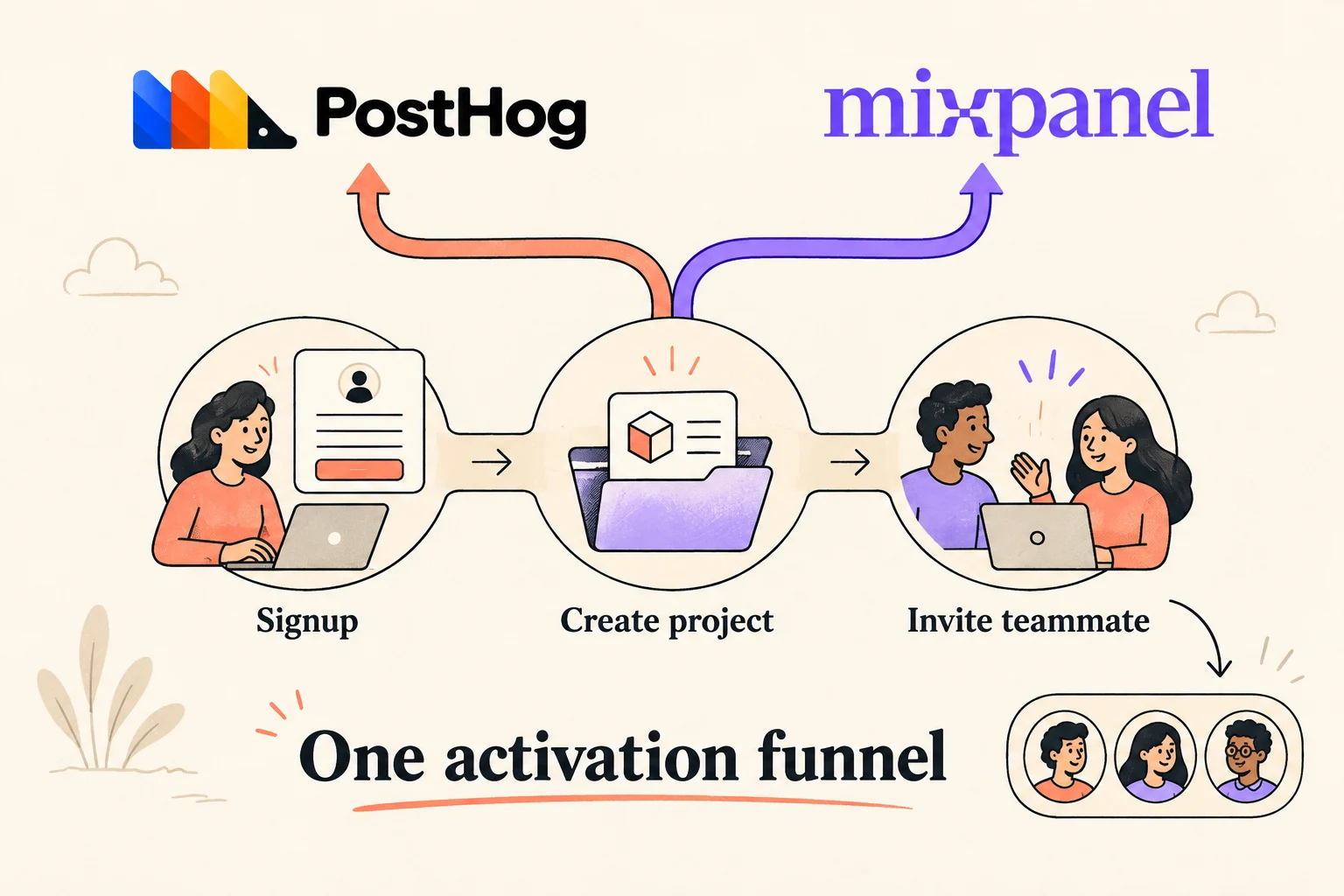
For a small SaaS team, the useful PostHog-versus-Mixpanel comparison starts with one question: can we trust and act on the same activation funnel? Both document the required funnel analysis. The bigger decision is whether you count individual people or whole workspaces, how you reconcile identities, and whether a teammate can investigate a drop-off without rebuilding the report.
The short version
- Define signup → project_created → teammate_invited once, then use the same events and settings in both tools.
- In our synthetic example, seven-day conversion is 25% by user and 42.9% by workspace. Neither percentage is a vendor score.
- Check group analytics entitlements before promising account-level reporting; adding workspace_id does not itself change the counting unit.
What this comparison establishes
Official documentation checked September 20, 2026. This is a documented setup comparison plus an original, locally verified synthetic dataset. We did not import that dataset into either vendor, run a timed usability trial, or observe a customer account's report. The expected counts below are reference calculations to validate against your own trial, not screenshots or measured vendor results.
We make Hogly, an independent PostHog client, and have a commercial interest in the PostHog ecosystem. There is no overall winner here. A team already comfortable investigating funnels in Mixpanel can reasonably keep it; a team consolidating analytics and engineering investigation in PostHog can reasonably evaluate that workflow. Both choices still need the same measurement checks.
For quotas and budget, use our separate free analytics plan comparison. This guide focuses on whether a signup-to-invitation report answers a real product question.
Start with three events that mean completed actions
Our fictional product allocates a workspace during registration. Every successful signup therefore has a stable user_id and workspace_id. If your workspace does not exist until later, use a separate workspace_created entry event for the workspace funnel. Do not retroactively invent workspace membership for anonymous visits.
| Event | Emit when | Owner and useful properties |
|---|---|---|
signup | The account registration transaction commits successfully | Account service; user_id, workspace_id, signup_method |
project_created | A usable project is persisted | Project service; user_id, workspace_id, project_id |
teammate_invited | A valid invitation is persisted for another person | Invitation service; user_id, workspace_id, invitation_id |
Every event also carries an immutable event_id, its actual occurrence timestamp, environment, and a schema version. An invitation button click, a failed request, and an accepted invitation have different meanings. Our final step proves that an invitation was created; it does not prove email delivery, acceptance, or lasting team activation.
Emit each business fact from one authoritative producer. A UI click may be a separate diagnostic event, but sending the same success event from both the browser and server creates reconciliation work. Keep retry IDs stable. In the fixture, a retried project event has the same event_id and is removed once by the local calculation. That custom field is not automatically a provider's deduplication mechanism: map it to the supported ingestion contract. Mixpanel documents event name, distinct ID, timestamp, and $insert_id in its deduplication rules.
A user funnel and a workspace funnel answer different questions
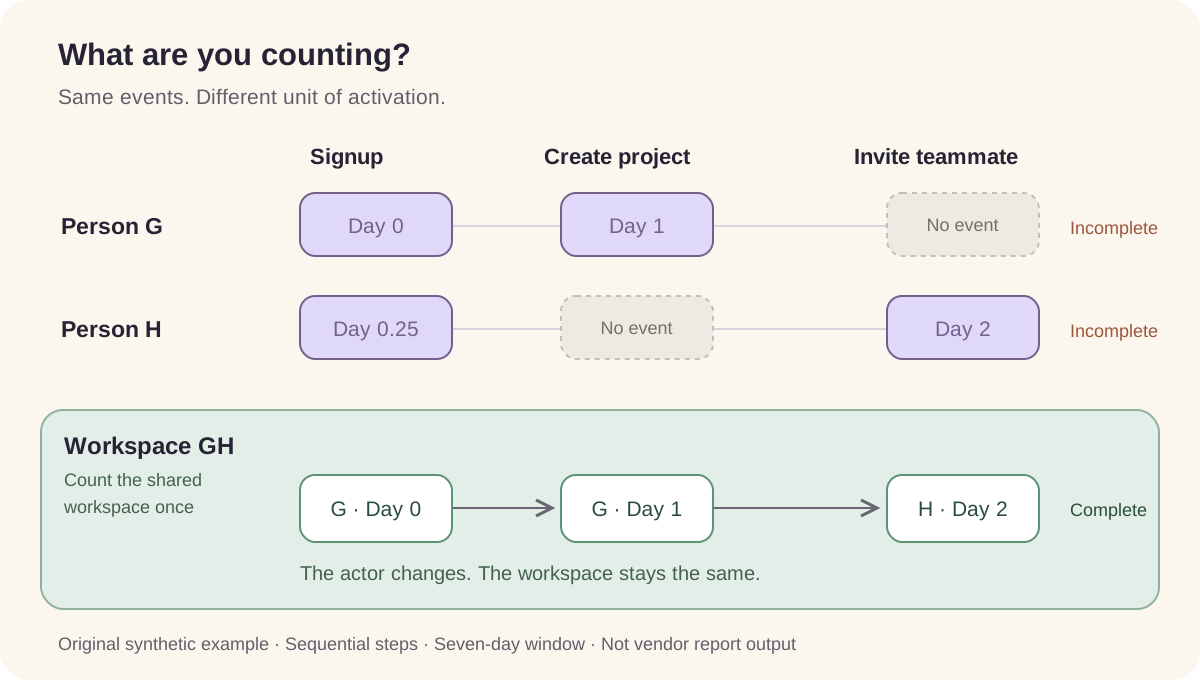
User activation: did the same registered person complete all three steps? Workspace activation: did people in the same workspace collectively complete them? Keep the actor's user ID on every event in either case. Never overwrite it with the company ID just to make a user chart look like an account chart.
For PostHog, identify a signed-in person with the stable application user ID and reset the client when they log out. Follow the identity guide before mixing browser and server events. For Mixpanel projects using Simplified ID Merge, call identify(user_id), send an event afterward to establish the device/user link, and reset on logout. Older Original ID Merge projects have a different contract; check the project's mode in the Mixpanel identity documentation.
Use the workspace active at the time of each action as an event property. A person's current default workspace is a mutable profile attribute and may not describe an old event. Test someone switching between two workspaces: a signup in one workspace must not silently join a project in another.
A breakdown by workspace still counts users unless you change the aggregation. Native group analytics changes the entity being counted. PostHog associates events with group keys and offers group aggregation in funnels. It is a paid add-on; its documentation says enabling it bills all identified events in the project, including those without group properties. Mixpanel documents Group Analytics as an add-on for Growth or Enterprise. Confirm the entitlement and quote for your account before making it a requirement. Sources: PostHog group setup and billing, Mixpanel Group Analytics.
Eight people, seven workspaces, four expected results
This is invented data, not a benchmark. Day 0 is September 1, 2026 at 12:00 UTC. Each person signs up once; H signs up on day 0.25. A through F have separate workspaces; G and H share workspace GH. All listed actions succeed. F's project event is delivered twice with the same ID. The file contains 20 raw rows and 19 distinct business events.
| Person | Project created | Invitation created | Why it matters |
|---|---|---|---|
| A | Day 1 | Day 2 | Completes in order |
| B | Day 1 | — | Drops after project creation |
| C | — | — | Drops after signup |
| D | Day 1 | Day 8 | Converts only with the longer window |
| E | Day 2 | Day 1 | Invitation happens before project creation |
| F | Day 1; duplicate delivery | Day 2 | One action despite the retry |
| G | Day 1 | — | Creates the shared workspace's project |
| H | — | Day 2 | Invites on behalf of shared workspace GH |
Count distinct entities, require the three steps in sequence, allow unrelated events between them, and measure the window from the first signup. Use UTC, a signup cohort of September 1 UTC, and observe through September 16 UTC so every entry has had a full 14 days. For workspaces, the clock starts at their first qualifying signup. No fixture action lies on an exact window boundary or within a few seconds of another step.
| Entity / window | Signup | Then project | Then invite | Overall conversion |
|---|---|---|---|---|
| User / 7 days | 8 | 6 | 2 | 25% |
| User / 14 days | 8 | 6 | 3 | 37.5% |
| Workspace / 7 days | 7 | 6 | 3 | 42.9% |
| Workspace / 14 days | 7 | 6 | 4 | 57.1% |
The seven-day user funnel loses two people before project creation and four after it. Its final step converts 2 ÷ 6 = 33.3% of those who created a project, while overall conversion is 2 ÷ 8 = 25%. G and H explain the higher workspace result: together they complete the sequence even though neither completes it alone. E is still incomplete at 14 days because the order is wrong; D becomes complete because only the time limit changes.
Download the synthetic event CSV and standalone Python calculation. The script needs only Python's standard library and writes the fixture plus its expected results beside itself. It does not contact PostHog or Mixpanel. Its purpose is to make these specific examples reproducible, not to reimplement either vendor's complete funnel engine.
Configure the same question in each tool
The following is a documentation-based setup checklist. UI labels and account entitlements can change. First use a test project and the fixture; afterward repeat with a small, consented sample of real product traffic. Do not use production numbers until identity and duplication checks pass.
| Setting | PostHog | Mixpanel |
|---|---|---|
| Report | Product Analytics → new Funnel insight | Funnels report |
| Steps | signup → project_created → teammate_invited | |
| Ordering | Sequential | Specific Order |
| Counting | Unique users for the baseline; workspace group for the account question | Uniques for the baseline; configured workspace group identifier for the account question |
| Window | Explicitly 7 days from entry; duplicate the report and change only this to 14 days | |
| Population | UTC; September 1 signup cohort; observation through September 16; fixture environment | |
| Extra controls | No breakdowns or exclusion steps in the baseline; document every extra filter and re-entry option | |
PostHog's Sequential ordering and Mixpanel's Specific Order permit other events between the named steps. PostHog also offers Strict order, which changes the question. Do not select it merely because the event names appear in a fixed order on this page. Sources: PostHog Funnels and Mixpanel Funnels quickstart.
For Mixpanel, also inspect re-entry settings: its advanced guide describes optimized re-entry, which can change which attempt qualifies. The fixture has one signup per person, so it deliberately avoids that ambiguity. In a real multi-workspace product, hold workspace_id constant across a user's steps where supported, or use explicit per-step workspace filters for a controlled validation. Keep those rules identical on both sides. A visual breakdown is not a substitute. See Mixpanel's conversion criteria.
If the numbers differ, export the contributing entity IDs and compare A through H before interpreting the percentage. Check entry dates, report time zone, identity links, missing workspace properties, event order, re-entry, and ingestion completion. Recent signups may simply not have had seven days yet; compare fully observed cohorts before declaring a product regression.
Use the drop-off list to choose what to investigate
Our largest numerical drop is after project creation. That is an investigation target, not proof that the invitation UI is broken. B may be a solo customer, D may need longer, E invited earlier, and G delegated the action to H. For a collaboration metric, some of these are expected behaviors rather than onboarding failures.
PostHog documents opening completed or dropped-off people from the funnel and saving a cohort. Mixpanel documents opening replays from funnel charts and user profiles, with server-side stitching available in its replay player. Use those paths to find the actual person and time range after the count is correct. See PostHog's drop-off investigation guidance and Mixpanel's replay entry points.
A server-side fixture produces no browser recording. Real replay investigation needs recording enabled on the relevant client, compatible identity, permitted capture, retention, and a session that was actually sampled. PostHog's replay setup documentation is the starting point for its capture path. Absence of a recording is not evidence that the user did nothing. In a workspace funnel, move from the group to the contributing people; do not expect one video containing everybody's actions.
For an optional visual introduction, both vendors embed a group-analysis walkthrough in their current documentation: PostHog's linked group analytics video and Mixpanel's linked Group Analytics video. These help illustrate the user-versus-company distinction. Treat older interface details as demonstrations and use the current documentation for settings and billing; the calculation above does not require watching either video.
Let the teammate who will use it validate the choice
Give a product teammate the saved report and event dictionary, then ask them to explain the denominator, find B and D, and show why G and H change the workspace result. Have an engineer independently reconcile the exported event IDs and identities. Record observed blockers rather than assigning a generic “easy to use” score.
| Owner | Validation task | Evidence to keep |
|---|---|---|
| Engineer | Match all 19 distinct fixture events; inspect the duplicate and stable IDs | Export, mapping, and explained differences |
| Product manager | Reproduce the four expected counts and explain the changing denominator | Saved reports with visible settings |
| Support or researcher | Find a relevant permitted real recording or explain why it is unavailable | Person, session time, and capture conditions |
| Account owner | Confirm groups, report sharing, and recording access on the intended plan | Current entitlement or written quote |
| A second teammate | Open the shared report with their own access and interpret it | Successful readback or the specific permission gap |
If a product-led team can already maintain and investigate this report in Mixpanel, a change needs a concrete gain. If engineers want this funnel close to their PostHog investigation workflow, evaluate that handoff with the same worksheet. If account activation is essential, price and validate group analytics before selecting either tool. These are decision criteria, not outcomes from a trial we did not run.
Choose the workflow your team can keep correct and use routinely. After choosing PostHog, our PostHog-on-iPhone guide explains where Hogly can help you check your project away from a desk. Hogly is an optional client; it does not replace the underlying event contract or make two differently configured funnels comparable.
Quick answers
Frequently asked.
Why can PostHog and Mixpanel show different activation rates for the same events?
Check the counted entity, identity mapping, ordering, entry-date range, time zone, conversion window, re-entry rules, property filters, and ingestion completeness. Compare the contributing IDs before treating the difference as a vendor accuracy problem. This article provides expected local calculations, not verified reports from either vendor.
Does adding workspace_id make a funnel count workspaces?
No. An event property can filter or split a user-based report while its denominator remains people. To count a company journey across different people, use properly configured group analytics or an explicitly defined external calculation. Native group analysis has separate plan and billing conditions.
Should an invitation sent count as SaaS activation?
Only if it matches the behavior you intend to measure. This example counts creation of a valid invitation. It does not establish delivery, acceptance, repeat usage, or customer value. If a teammate must accept and complete useful work, define those as separate events and validate that revised funnel.
What result should the sample dataset produce?
With ordered steps and a seven-day window, the local reference calculation yields 8 → 6 → 2 users, or 25%, and 7 → 6 → 3 workspaces, or 42.9%. At 14 days, the final counts become 3 users and 4 workspaces. These are synthetic reference results to check in your own configured reports.